Learn how to play the piano
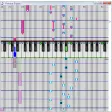
If you fancy yourself as the next Elton John but don't want to shell out for a grand piano just yet then you might want to hone your skills with KB Piano. The program transforms your PC into a piano, with the keys on your keyboard replacing those you'd find on the instrument. The app makes getting started as simple as possible, and after following the clear instructions and comprehensive tutorial you will soon be playing, recording and replaying beautiful music.
You can configure the program to play chords by pressing a certain key, applied automatically when you create a new file, and there are a wide range of different tracks and effects you can apply to your compositions. With support for 15 channels and real-time mixing, this really is a pretty powerful program. You will need DirectX 8 to experience the full capabilities and be warned, we did experience a few bugs and crashes when we tested it.






















User reviews about KB Piano
by Anonymous
dope.
its a very good way to get a piano on a track people can
also play piano but want to use this its great